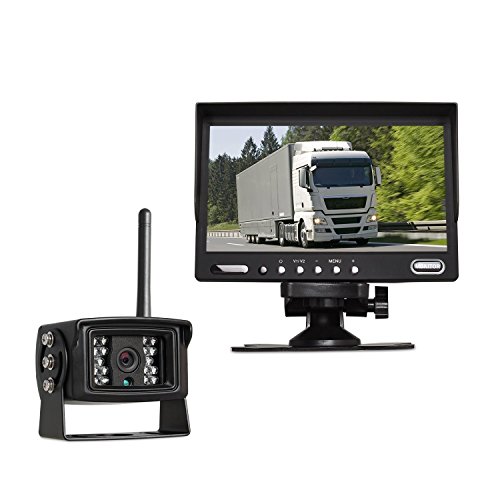

Feature Product
- Digital Wireless transmitter takes the place of complicated cable wiring and provides stable signals without any interference within 30m.
- 7" Full-color LCD rearview monitor with built-in speaker and remote control.Two video inputs,one audio input and optional PAL&NTSC TV system.
- 18 IR lamps 1/3-inch color SONY CCD camera with 120 degrees lens angle and 8M night vision range gives you safer driving experience in the day/night.
- Suitable for most gigantic vehicles, such as Excavator, Cement Truck, Farm Tractor, Trailer&RV, Heavy Truck, School Bus.
- AUTO-VOX MW3 is designed only for reversing. It mainly avoids blind spots when parking and can not be used as driving monitor at highway.
Description
This 7'' TFT LCD monitor with Wireless Digital system camera is suitable for most truck, bus, trailer and other vehicles. Easy installation without extra confused long connecting cables which can save much more time.Instructions with diagrams are also included in the manual which comes with your package.
Monitor
High resolution TFT-LCD monitor: 800*480
Screen size: 7 inch new TFT panel
Brightness: 450cd/m2
Power supply: 12-24V DC
Camera(with built-in TX)
Image device 1/3 inch color SONY CCD
TV system NTSC
Resolution 480 TV lines
Minimum illumination 0Lux/(infrared LED on)
Night Vision range More than 8M
Lens Angle 120 degrees
S/N ratio more than 48db (AGC-OFF)
Weight 500g
Note:
This camera can not support 24Volt. we strongly suggest you buy a hard wire kit to work with it to guarantee a smooth working.
Paring the camera
1.The camera and receiver are automatically paired.There is no need to pair again unless you need to replace the receiver module or camera.
2.The pairing code is needed in the event of losing connection due to weak signal strength, but it is rare.
How to pair?
When the message Please press pair key on TX side appears on the receiver(RX screen )Press and hold the receiver(RX) Pair Code key for 1-3 seconds.
Within 30 seconds Press and Hold the transmitter(TX)Pair Code Button for 1-3 seconds. Pairing will then start.
Once pairing is complete PAIR OK will appear on the receiver(RX screen)


0 komentar:
Posting Komentar